Workflow Editor
Add nodes, connect execution, save, run, and debug
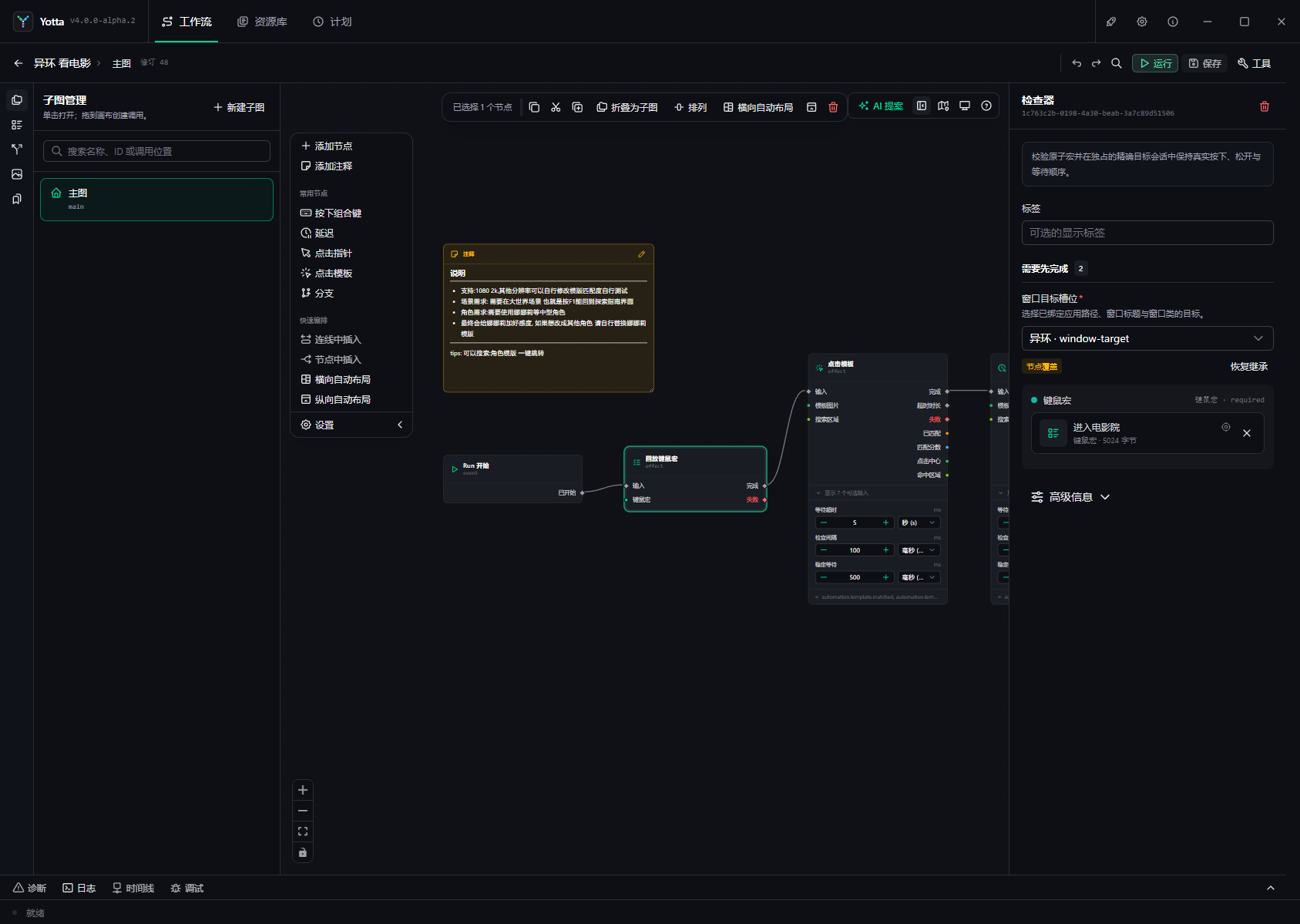
The editor combines subgraph management, a visual canvas, an inspector, workflow-level actions, and runtime tools. Read the complete interface tour before building a large graph.
Core workflow
- Add or drag nodes from the catalog.
- Connect signal ports to define execution order.
- Connect data ports or enter fixed values in the inspector.
- Save and Check after each small change.
- Run against a safe target and inspect Timeline.
The compiler rejects incompatible connections. Saving preserves your draft on failure and can locate the graph, node, and field that must be repaired.
Normal and Debug Runs use the same runtime and real targets. Debug adds breakpoints, pause, continue, and step; it is not a side-effect-free simulator.
Subgraphs package reusable multi-node logic. Snippets store one reusable node template, not a small workflow.